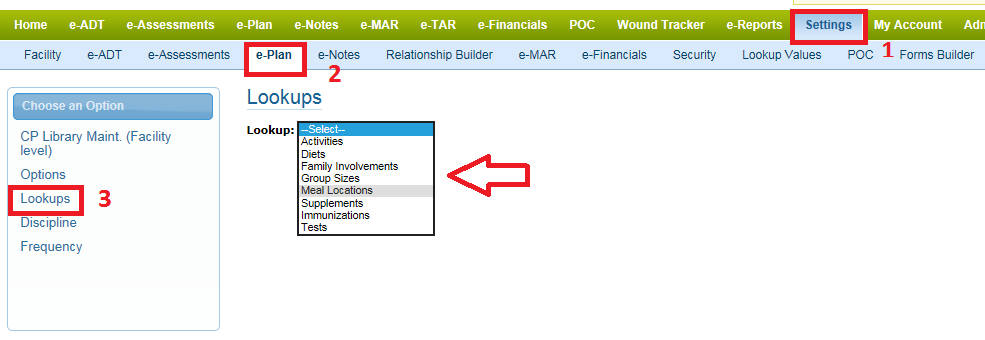
Step 1: Go to setting=>e-Plan=>Lookups=>Select the desired area you would like to add the value under.
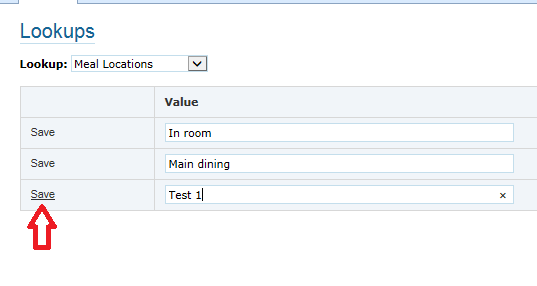
Step 2: Enter the Value and Hit on 'Save'.
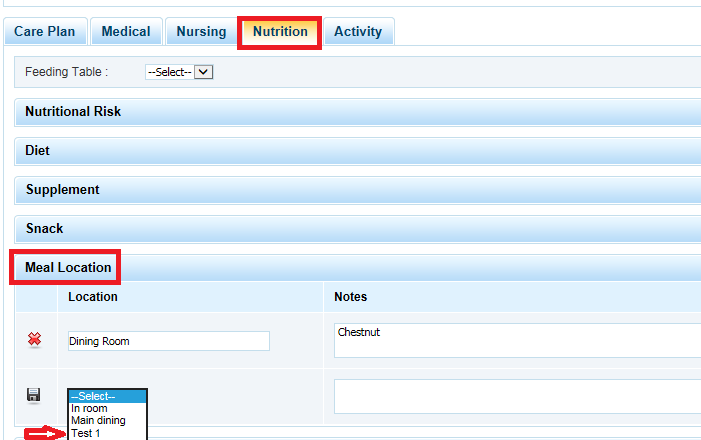
Step 3: The added area will be showing up under the Care plan now.


Step 1: Go to setting=>e-Plan=>Lookups=>Select the desired area you would like to add the value under.
Step 2: Enter the Value and Hit on 'Save'.
Step 3: The added area will be showing up under the Care plan now.
Comments
0 comments
Article is closed for comments.